iPhone Screenshot Tool

Capture Websites at iPhone 18 Pro and Duo Sizes

Free, no-signup website captures in 18 Pro, Pro Max and three Duo web viewports. Export PNG, JPG, WebP or PDF and compare the actual example files below.

  • Free to use
  • No signup required
  • PNG · JPG · WebP · PDF

Public pages only. Your browser login is not shared; CAPTCHA and access restrictions may prevent capture.

Phone presets preview a browser viewport, not a physical device. Long pages and lazy-loaded content may be incomplete.

Review narrow navigation, wider inner-display grids and document length using fixed web viewports. Duo presets use 1× output in Chrome; they do not emulate Safari or folding hardware.

See a real example and conversion limits

Popular Tasks

Choose an iPhone model

Pick the iPhone size you want to preview before generating the screenshot

iPhone 18 Pro Series

Choose from commonly used iPhone sizes.

2 models

iPhone Duo — web viewport previews

Choose from commonly used iPhone sizes.

3 models

iPhone Air

Choose from commonly used iPhone sizes.

1 models

iPhone 17 Series

Choose from commonly used iPhone sizes.

4 models

iPhone 16 Series

Choose from commonly used iPhone sizes.

5 models

iPhone 15 Series

Choose from commonly used iPhone sizes.

4 models

iPhone 14 Series

Choose from commonly used iPhone sizes.

4 models

iPhone SE / 13 Series

Choose from commonly used iPhone sizes.

5 models

iPhone 12 Series

Choose from commonly used iPhone sizes.

4 models

iPhone 11 / XR / XS / SE

Choose from commonly used iPhone sizes.

7 models

iPhone 18 Pro and Duo: sizes and actual screenshots

Free to use, with no signup. Use 18 Pro and Pro Max for conventional mobile layouts; Duo outer portrait for narrow navigation and the first screen, inner portrait for wider content, and inner landscape for grids and short-height layouts. Choose one preset per capture; one-click multi-device capture and ZIP bundles are not available.

Fixed web viewports and original PNG output; full-page height follows the document
PresetCSS viewportOutput scaleViewport PNG
iPhone 18 Pro402 × 8743×1206 × 2622
iPhone 18 Pro Max440 × 9563×1320 × 2868
iPhone Duo outer portrait382 × 5801×382 × 580
iPhone Duo inner portrait669 × 8671×669 × 867
iPhone Duo inner landscape951 × 5851×951 × 585

Duo uses the small viewport height with expanded toolbars and 1× output. These are not physical-screen or App Store asset dimensions. Chrome does not emulate Safari, fold posture, viewport segments or collapsing browser controls. WebKit: Duo viewport reference

Actual service exports from the same source

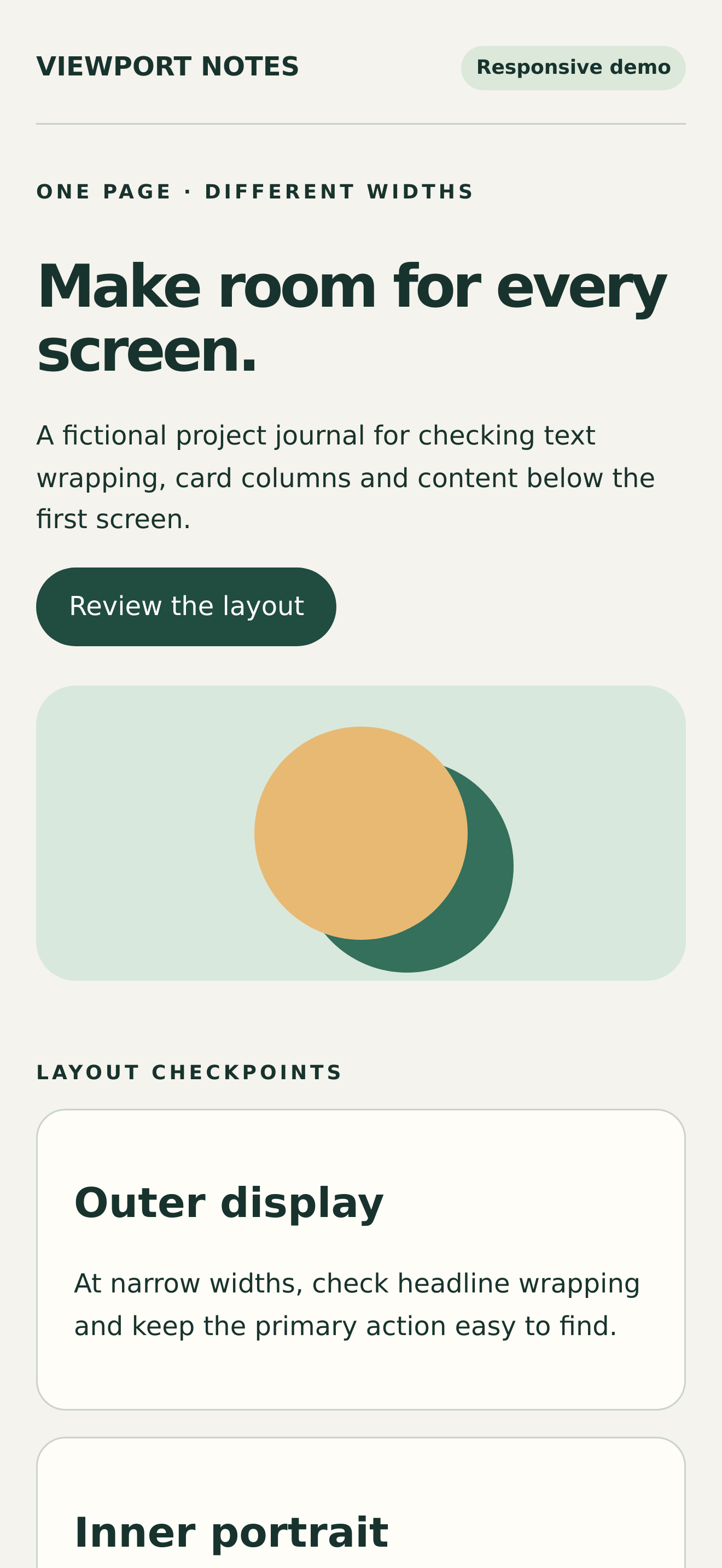
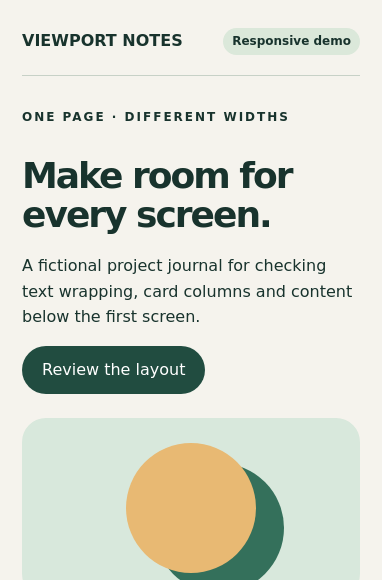
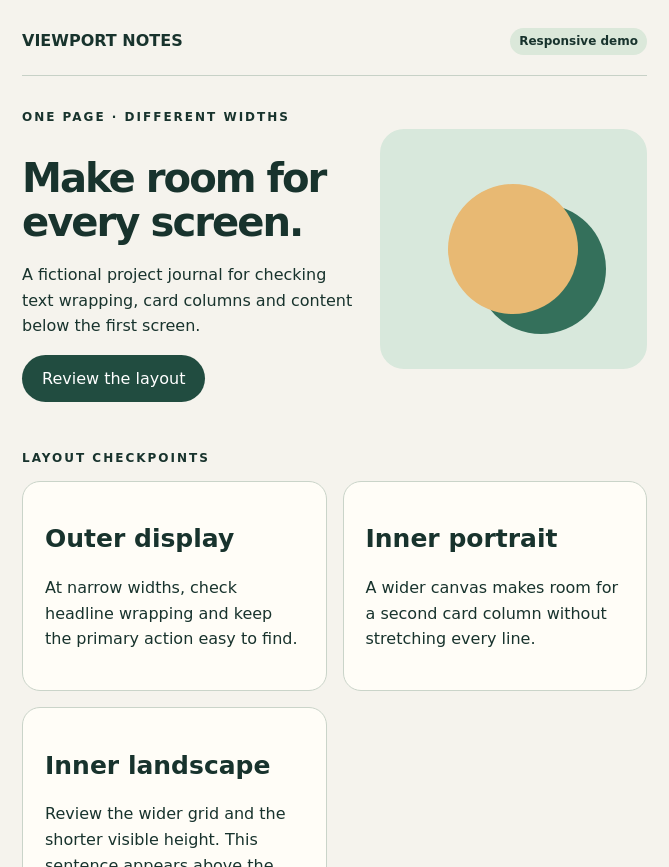
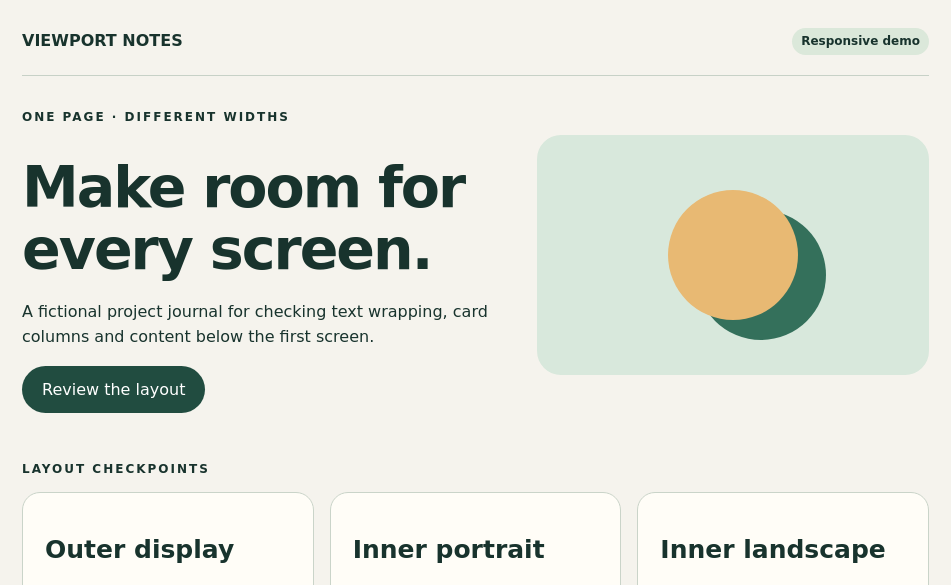
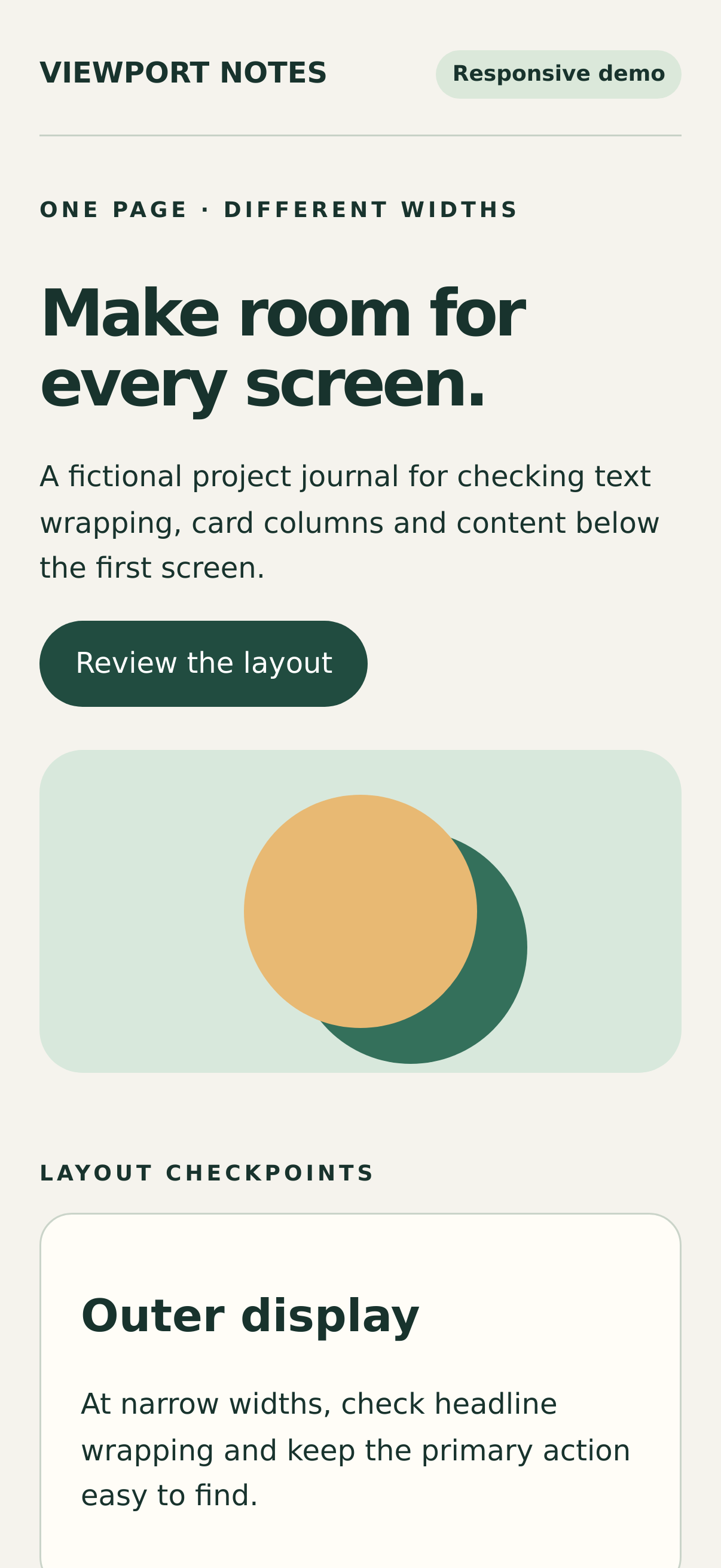
Viewport Notes is an original fictional page using embedded CSS, system fonts and CSS artwork, without external assets. These files were generated by the production backend from the complete HTML; they are not mockups or physical-phone screenshots. Cards stack on narrow screens and reflow into two or three columns at wider widths.

Reproduce: open or download the example page, select a listed preset, PNG and Original output, turn Print stylesheet off, and set wait delay to 0 ms. URL mode offers Viewport or Full page; HTML mode always captures the complete document and cannot reproduce a viewport crop. Exports were generated on 25 October 2026; each figure records its measured pixels and file size.

iPhone 18 Pro · Viewport: actual PNG export of the responsive Viewport Notes page
iPhone 18 Pro · Viewport

1206 × 2622 PNG · 200.9 KiB

iPhone 18 Pro Max · Viewport: actual PNG export of the responsive Viewport Notes page
iPhone 18 Pro Max · Viewport

1320 × 2868 PNG · 217.7 KiB

iPhone Duo outer portrait · Viewport: actual PNG export of the responsive Viewport Notes page
iPhone Duo outer portrait · Viewport

382 × 580 PNG · 40.7 KiB

iPhone Duo inner portrait · Viewport: actual PNG export of the responsive Viewport Notes page
iPhone Duo inner portrait · Viewport

669 × 867 PNG · 87.1 KiB

iPhone Duo inner landscape · Viewport: actual PNG export of the responsive Viewport Notes page
iPhone Duo inner landscape · Viewport

951 × 585 PNG · 62.4 KiB

The remote service does not inherit local login sessions or cookies. Private pages, CAPTCHA, lazy loading, infinite scrolling and nested scroll containers can affect results. Full-page width follows the preset while height follows the document, not a fixed screen height.

Common Use Cases

iPhone Screenshot Use Cases

Export iPhone Screenshots as JPG

JPG is useful for quick mobile page previews and lighter exports when the goal is speed, sharing, or simple reference screenshots.

  • • Smaller files for mobile exports
  • • Good for internal sharing
  • • Useful for responsive review snapshots

Use PNG for Cleaner iPhone UI Captures

PNG is usually the best fit when the screenshot should show interface detail, typography, spacing, or product UI clearly.

  • • Better for visual detail
  • • Good for app-like and UI-heavy pages
  • • Useful for product and design QA

Save iPhone Previews as PDF

PDF is useful when a mobile page preview needs to be shared as a document instead of only as an image asset.

  • • Useful for review documents
  • • Helpful for archived mobile previews
  • • Better for printable workflows

Capture Full Page iPhone Screenshots

Use full-page mode for long mobile layouts, landing pages, app marketing pages, or scroll-heavy responsive content.

  • • Capture the full mobile page height
  • • Useful for long landing pages
  • • Stronger fit for responsive QA

Popular iPhone Models and Screen Sizes

Choose 18 Pro, 18 Pro Max, iPhone Air and Duo outer portrait, inner portrait or inner landscape alongside earlier iPhone presets. The table above distinguishes CSS dimensions, image pixels and actual downloads.

  • • iPhone 18 Pro: 402 × 874 CSS px, 3×
  • • iPhone 18 Pro Max: 440 × 956 CSS px, 3×
  • • iPhone Duo: 382 × 580 / 669 × 867 / 951 × 585 CSS px, 1×
  • • iPhone Air: 420 × 912 CSS px; legacy Air URLs remain compatible
FAQ

iPhone Screenshot FAQ

Is Website Screenshot free, and do I need an account?+

Yes. The online screenshot and HTML conversion tools are free to use, with no registration or installation required.

Can I generate iPhone screenshots from a website URL?+

Yes. Paste a URL, choose an iPhone model, and export the page as JPG, PNG, WebP, or PDF.

Can I capture a full page iPhone screenshot?+

Yes. Switch to full-page mode when you need a long mobile capture instead of only the first visible iPhone viewport.

Which format is best for iPhone screenshots?+

PNG is often the best choice for interface review, JPG is lighter for quick sharing, WebP can be more efficient, and PDF works well when the result should be saved like a document.

Can I capture a page that requires my browser login?+

The remote browser does not inherit your Chrome login, cookies, VPN or localhost access. Use publicly accessible URLs. Login screens, CAPTCHA and anti-bot restrictions may prevent capture.

Which iPhone 18 Pro and Duo sizes are supported?+

18 Pro uses 402 × 874 CSS pixels and Pro Max uses 440 × 956, both at 3× output. Duo provides outer portrait 382 × 580, inner portrait 669 × 867 and inner landscape 951 × 585 at 1× output.

Do Duo presets emulate native Safari and folding?+

No. They are fixed Chrome-rendered web viewport previews, without native Safari, a hinge, fold posture, viewport segments or collapsing browser-control animation. Expanded-toolbar viewport height is not physical-screen resolution.

Can I download all three Duo sizes in one capture?+

Not in this release. Generate outer portrait, inner portrait and inner landscape separately and download each original. One-click multi-device capture and ZIP bundles are not available.