iPhone Duo Website Screenshots: Sizes, Examples & Limits
Website Screenshot team · Published and tested: 25 October 2026
To capture a website at iPhone Duo sizes, paste a public URL, choose outer portrait (382 × 580), inner portrait (669 × 867) or inner landscape (951 × 585), then select Viewport or Full page and download the result. The tool is free and needs no signup. These presets are Chrome-rendered web viewport previews, not screenshots taken on a physical Duo.
Open the Duo screenshot toolCapture from a URL or HTML
- Open iPhone Screenshot and paste a publicly accessible website URL. For a repeatable test, use the example page linked below.
- Choose a Duo preset in the device library: outer portrait, inner portrait or inner landscape. Each capture uses one preset; repeat manually to compare them.
- Select PNG for a lossless interface image, JPG or WebP for alternative image formats, or PDF for a document export. Only PNG example dimensions are measured in this guide.
- Choose Viewport for one visible area. Choose Full page for the document height at the same width; fixed screen height is not a full-page output limit.
- Keep output size Original and Print stylesheet off for these examples. Generate, then choose Download original. Compare the actual file at 100%, rather than the scaled preview.
- For HTML input, open HTML Screenshot, paste the complete source into Manual input → HTML, clear the separate CSS field, and choose the same Duo preset. HTML mode captures the full rendered document. Its PNG workflow requests a transparent page background; to reproduce this example’s cream background, add .page { background: #f5f3ed; } in the CSS field after clearing the sample rules.
iPhone 18 Pro and Duo: sizes and actual screenshots
Free to use, with no signup. Use 18 Pro and Pro Max for conventional mobile layouts; Duo outer portrait for narrow navigation and the first screen, inner portrait for wider content, and inner landscape for grids and short-height layouts. Choose one preset per capture; one-click multi-device capture and ZIP bundles are not available.
| Preset | CSS viewport | Output scale | Viewport PNG |
|---|---|---|---|
| iPhone 18 Pro | 402 × 874 | 3× | 1206 × 2622 |
| iPhone 18 Pro Max | 440 × 956 | 3× | 1320 × 2868 |
| iPhone Duo outer portrait | 382 × 580 | 1× | 382 × 580 |
| iPhone Duo inner portrait | 669 × 867 | 1× | 669 × 867 |
| iPhone Duo inner landscape | 951 × 585 | 1× | 951 × 585 |
Duo uses the small viewport height with expanded toolbars and 1× output. These are not physical-screen or App Store asset dimensions. Chrome does not emulate Safari, fold posture, viewport segments or collapsing browser controls. WebKit: Duo viewport reference
Actual service exports from the same source
Viewport Notes is an original fictional page using embedded CSS, system fonts and CSS artwork, without external assets. These files were generated by the production backend from the complete HTML; they are not mockups or physical-phone screenshots. Cards stack on narrow screens and reflow into two or three columns at wider widths.
Reproduce: open or download the example page, select a listed preset, PNG and Original output, turn Print stylesheet off, and set wait delay to 0 ms. URL mode offers Viewport or Full page; HTML mode always captures the complete document and cannot reproduce a viewport crop. Exports were generated on 25 October 2026; each figure records its measured pixels and file size.
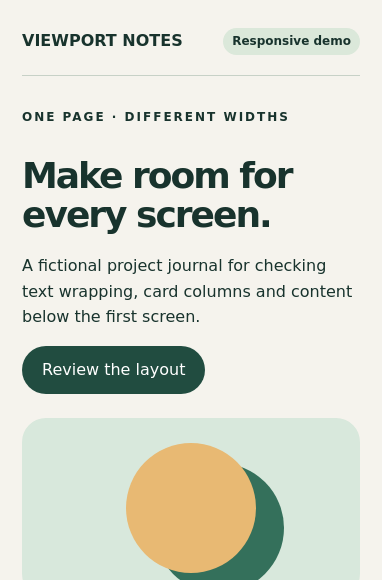
382 × 580 PNG · 40.7 KiB

382 × 2493 PNG · 194.6 KiB
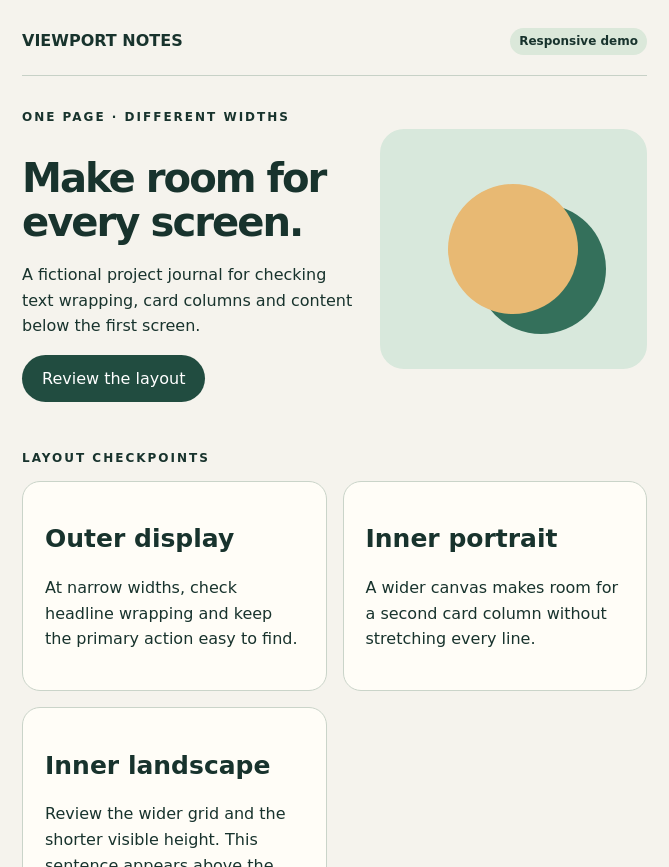
669 × 867 PNG · 87.1 KiB
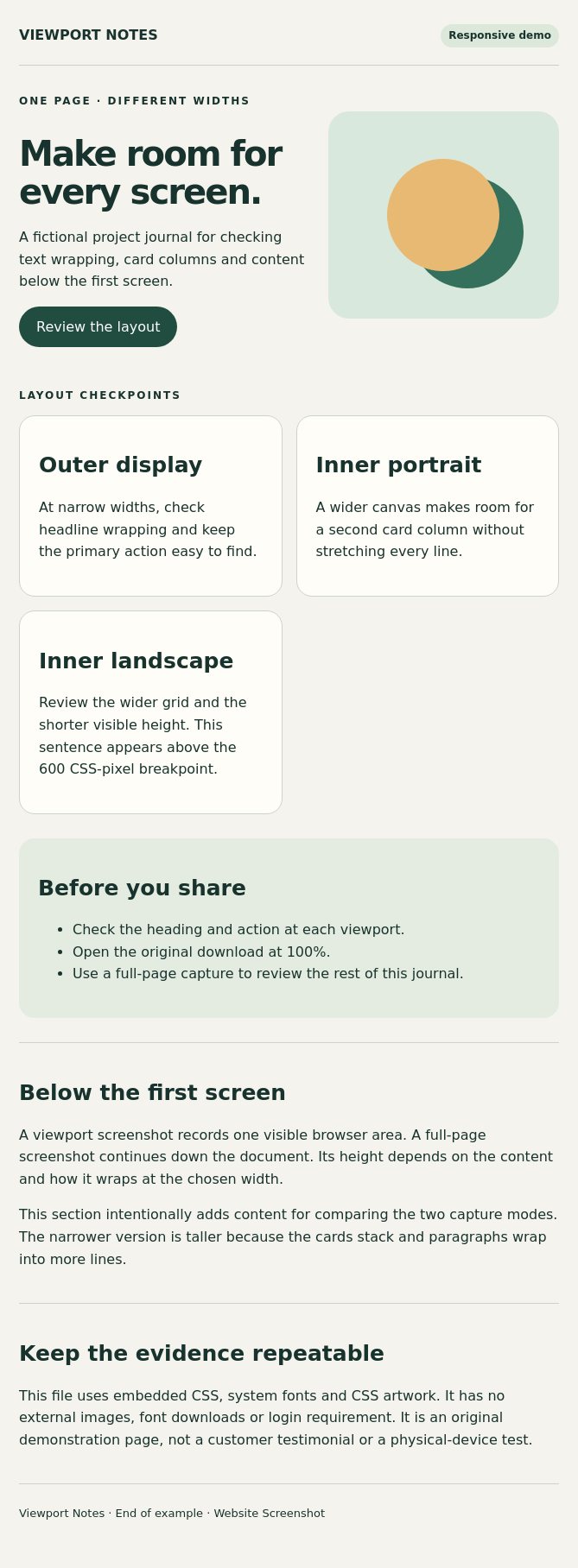
669 × 1816 PNG · 191.8 KiB
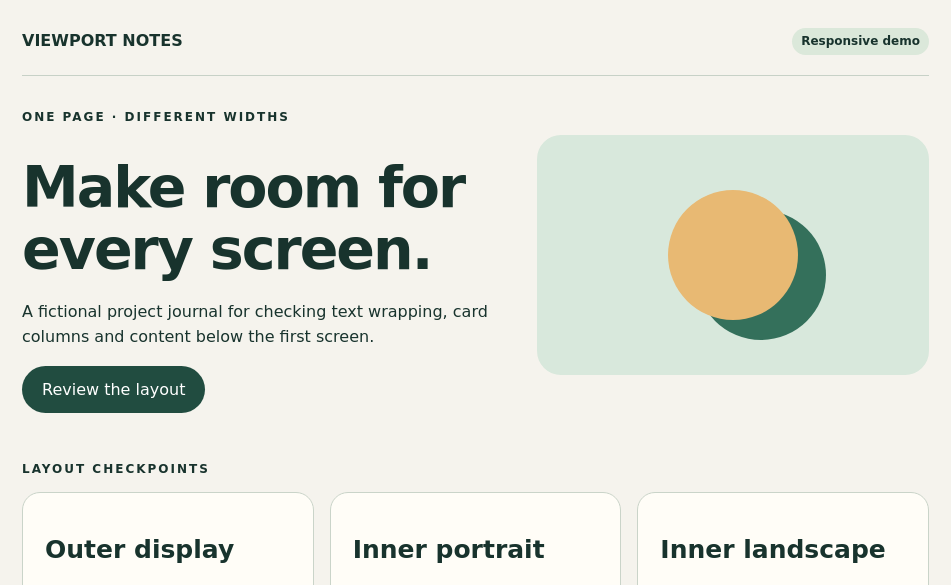
951 × 585 PNG · 62.4 KiB
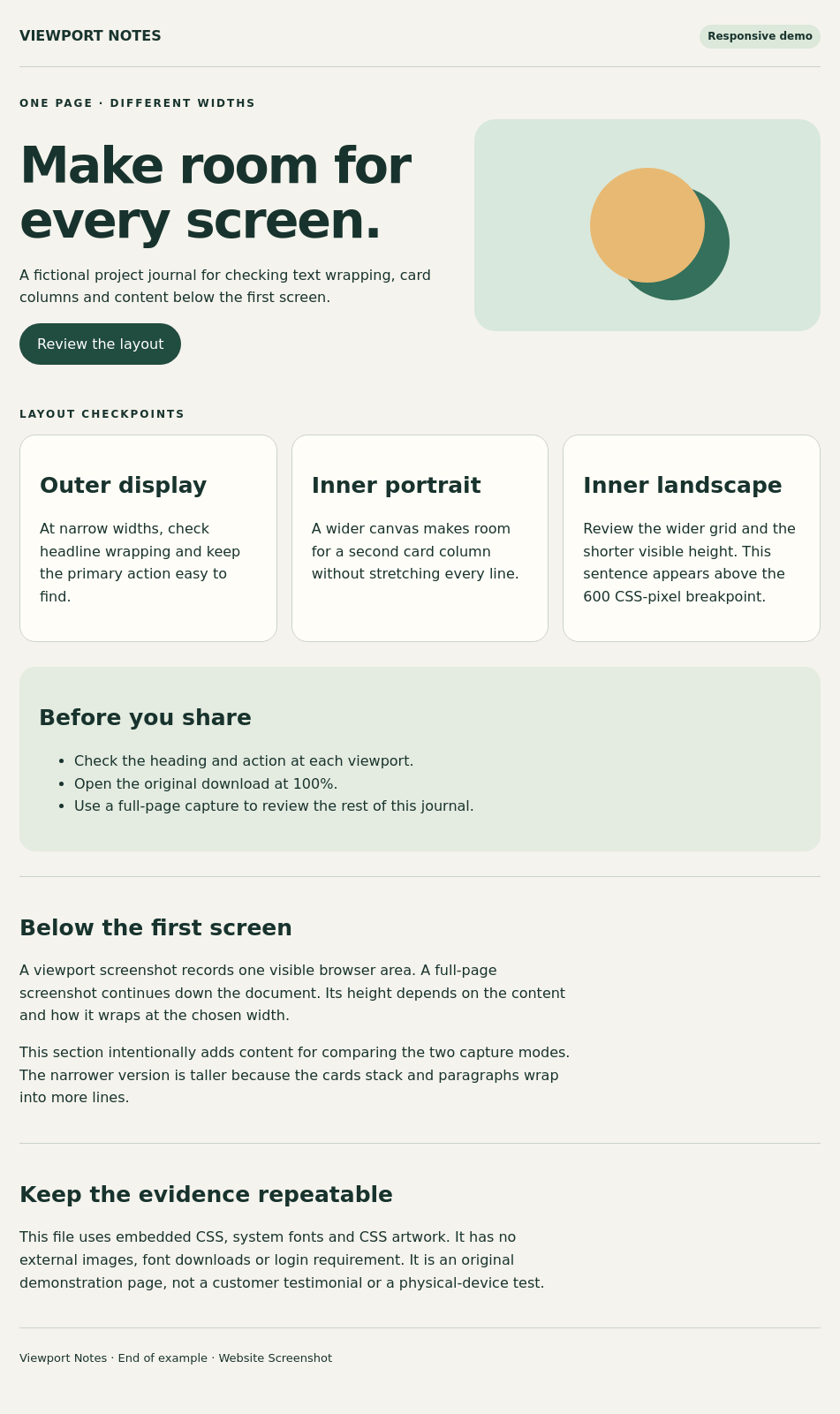
951 × 1601 PNG · 192.9 KiB
The remote service does not inherit local login sessions or cookies. Private pages, CAPTCHA, lazy loading, infinite scrolling and nested scroll containers can affect results. Full-page width follows the preset while height follows the document, not a fixed screen height.
What the three Duo presets help you review
Outer portrait is useful for narrow navigation, headline wrapping and a primary call to action within a short initial viewport. Inner portrait helps check whether a layout uses the additional width sensibly. Inner landscape is useful for wider grids, sidebars and short-height layouts.
The supplied Viewport Notes page deliberately changes its card grid at 600 and 900 CSS pixels. It is a fictional demonstration, with no customer or device-maker endorsement. Compare the three original PNGs to see the same source reflow. A screenshot can reveal a layout issue, but does not prove a button or checkout works.
CSS viewport size, image pixels and Safari toolbar height
CSS pixels control responsive breakpoints; output pixels also depend on device scale factor. Our Duo presets deliberately use 1× output, so viewport PNG width and height match the configured CSS viewport. The 18 Pro presets use 3× output; those larger images do not make Duo a 3× preset.
The Duo sizes below use the small viewport heights published by WebKit for expanded browser toolbars. Safari can expose more height when its controls shrink. This service fixes the viewport; it does not animate toolbar transitions or capture Safari controls. Physical display resolution and App Store asset requirements are different measurements.
Viewport capture versus a full-page screenshot
Viewport captures answer “what fits in this visible area?” Full-page captures answer “how does the whole document lay out at this width?” The three full-page examples retain their preset width and continue to the end of the same source. Narrower text and stacked cards can make a page taller.
Full page does not scroll every nested container, remove every sticky header, finish infinite feeds or guarantee all lazy assets load. A delay or an appropriate wait selector may help public dynamic content. Inspect the bottom of the original and compare with the input page.
Website URLs, HTML source and export formats
URL mode captures a public page from the remote service. HTML mode accepts a complete document with embedded styles, or an uploaded HTML file. Local image folders and relative paths are not automatically uploaded. Use accessible absolute resource URLs or inline assets.
PNG is useful for UI text and fine lines. JPG does not support transparency; WebP offers another image option. PDF export is available, but this guide does not establish paginated PDF behavior or Duo’s native two-page PDF viewing behavior. Display zoom only changes the editor preview. For generated image results, download the original before using Crop image; a crop changes the output dimensions and is not another device preset.
What this does not emulate
The renderer is Chrome, even when a preset supplies an iPhone-style user agent. It does not reproduce native Safari/WebKit behavior, a physical hinge, fold posture, viewport segments, safe-area hardware, or Safari’s partially folded PDF viewer.
Only the three listed Duo presets are provided. Outer landscape, two-window split view and collapsed-toolbar heights are not additional named presets in this release. Custom dimensions can test a rectangle, but do not add those device capabilities. Use an actual device or Apple’s simulator when you need native behavior.
A practical manual comparison workflow
Capture the same public URL at outer portrait, inner portrait and inner landscape using the same format and wait settings. Download each original separately, give it a descriptive filename and compare navigation, text wrapping, grids, sticky elements and the final section.
There is no one-click multi-device capture or ZIP bundle in this release. For regression review, preserve the URL or source, selected preset, capture mode, date and original output together. The downloadable manifest records our example settings and file dimensions.
Duo screenshot FAQ
Can I take an iPhone Duo website screenshot without signing up?
Yes. The public tool is free and does not require registration. Choose one of the three Duo web viewport presets, generate a capture and download it. Availability still depends on the target page and remote service.
Are Duo screenshots rendered by Safari on a real phone?
No. They are Chrome-rendered web viewport previews. They do not emulate native Safari, folding posture or physical hardware.
Why is a Duo viewport PNG 1× while an 18 Pro PNG is 3×?
Those are the configured output scales. Duo previews use one image pixel per CSS pixel; the 18 Pro presets use three. Neither value is a claim that this service captured a physical display.
Can I capture a logged-in page or my localhost?
The remote service does not inherit your browser login, cookies, VPN or localhost. Private pages, CAPTCHA and anti-bot protection may prevent a useful capture.
Can I get all three Duo sizes in one ZIP?
Not in this release. Generate and download one preset at a time. The examples on this page are separate original files.
Sources and test scope
Duo viewport dimensions reference WebKit’s Safari 27.1 documentation. Format options, output scales and feature limits describe this tool’s implementation. Original files and the manifest document our production service test, not a compatibility or loading guarantee for every website. WebKit: Safari 27.1