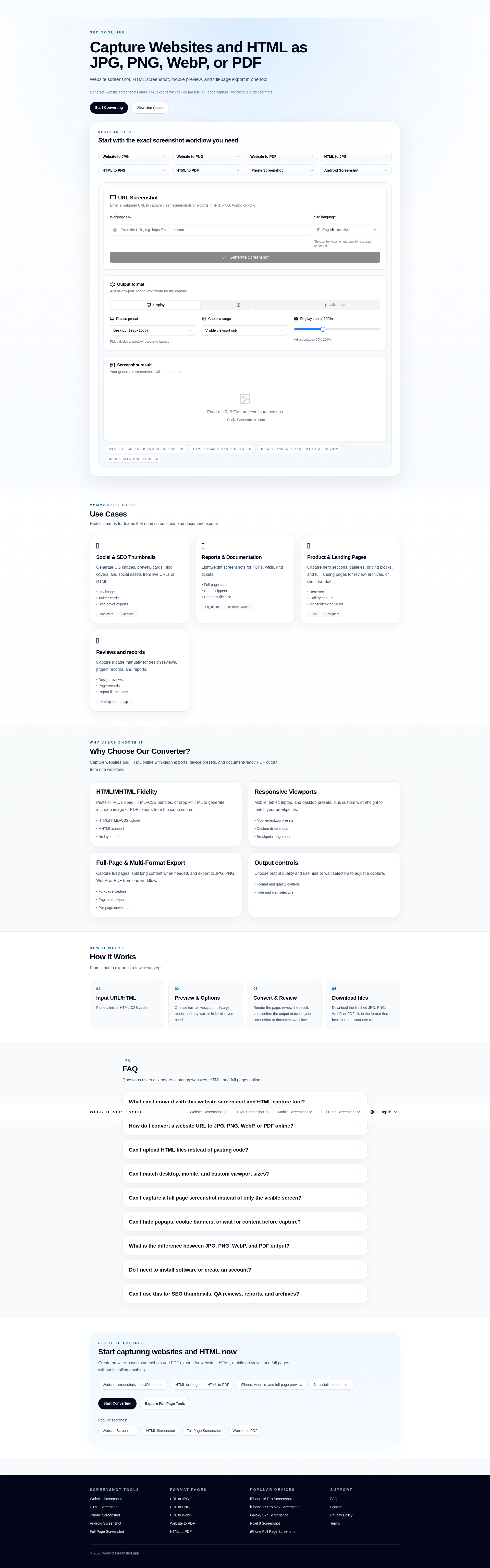
Real input. Actual output.
A real full-page website capture
This example captures the public Website Screenshot homepage from top to bottom. Compare its long exported image with a single desktop viewport.
Public pages and login sessions
The remote capture does not inherit your Chrome login, local cookies, VPN, or localhost. Login screens, CAPTCHA, access restrictions, and anti-bot protection may prevent capture. Only submit pages you are allowed to capture.
Lazy loading and infinite scrolling
Full-page mode attempts to scroll to load more content, but has time, height, and scroll-step limits. Infinite feeds and content loaded after clicks may be incomplete. Try a longer wait or a wait selector, then inspect the output.
Sticky elements and scrolling containers
Sticky headers, popups, animations, iframes, and independently scrolling panels can obscure or omit content. Hide selectors and wait controls can help, but cannot guarantee every site will render identically.
Mobile-sized is not a physical device
A phone preset changes the remote browser capture settings; it is not a screenshot from a physical iPhone or Android phone. Very long pages may fail or need smaller captures. Full page refers to the page, not every route on a website.