HTML в PDF

Преобразуйте HTML и CSS в PDF-документ

Используйте HTML to PDF, когда нужен печатный, архивируемый и удобный для чтения документ из HTML.

  • Бесплатно
  • Без регистрации
  • PNG · JPG · WebP · PDF

Встроенные стили HTML сохраняются. Локальные изображения и шрифты не загружаются автоматически; используйте публичные URL или встроенные ресурсы.

Пресеты телефонов показывают окно браузера, а не реальное устройство. Длинные страницы и отложенный контент могут быть неполными.

Эта страница посвящена запросам html to pdf, render html to pdf и html template to pdf. Она особенно полезна для шаблонов, отчётов, инвойсов, printable pages и document delivery workflows.

See a real example and conversion limits
Популярные задачи

Real input. Actual output.

An actual PDF exported from complete HTML

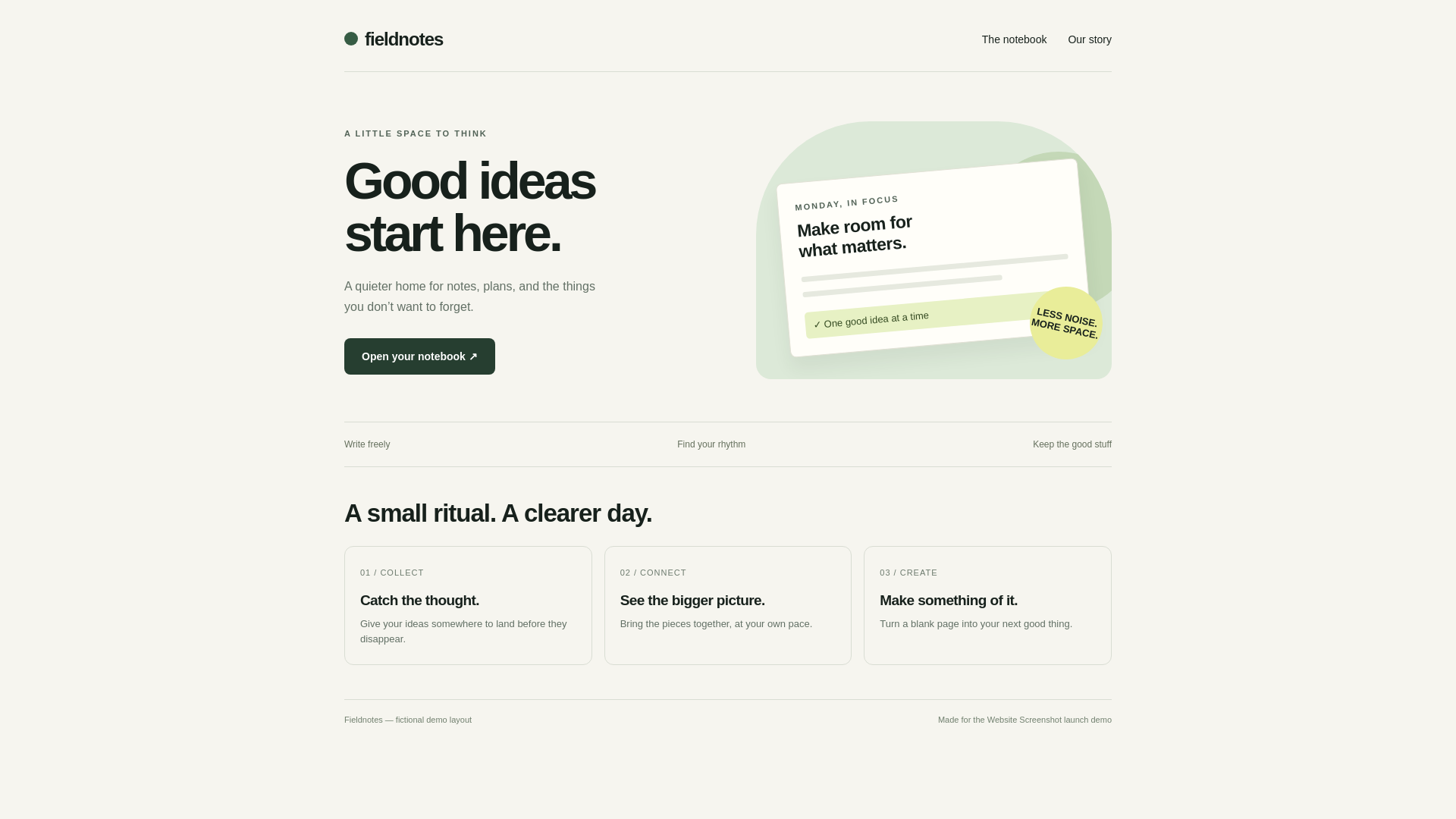
Export the complete Fieldnotes document with embedded CSS as PDF. Download the source and actual PDF below. The reference image is a PNG from the same HTML, not a preview of PDF pagination.

Input: complete HTML document

/examples/tutorials/fieldnotes.htmlDownload the example HTML

Settings to reproduce

  • Complete HTML; separate CSS field empty
  • Format: PDF; Desktop preset; original output size
  • Delay: 1000 ms; print stylesheet off

Try it yourself

  1. Download the source and paste the complete HTML.
  2. Choose PDF in Output and leave the separate CSS field empty.
  3. Convert and download; inspect page breaks in a PDF reader.
Try these settings in the tool
PNG reference from the same Fieldnotes HTML; not a PDF page preview
Actual PDF exported through this tool on 25 October 2026. The reference image is a PNG of the same HTML; PDF page breaks can differ.
Download the actual HTML-to-PDF export

Limitations to know before converting

Complete documents and extra CSS

Embedded style blocks are retained. CSS entered in the separate field is appended after the document styles, so normal CSS specificity and source order apply. A matching rule can override an earlier one.

Images, fonts, and local files

Relative file paths and files on your computer are not automatically uploaded with pasted HTML. Use publicly accessible absolute URLs or inline assets. Blocked resources and fonts that load late can change the result.

PDF layout is not a long PNG

PDF output can paginate and reflow content. Paper size, margins, print CSS, and the target website affect page breaks. Full-page capture does not promise a single extra-long PDF page.

Print CSS and browser printing

Enabling Print stylesheet asks the renderer to use the website’s print styles, which may hide navigation or change the layout. Your browser’s local Print → Save as PDF may differ because of login state, fonts, printer settings, and loaded content.

Основные сценарии

Когда HTML to PDF особенно полезен

Когда HTML лучше сразу превращать в PDF

HTML to PDF особенно полезен для шаблонов, инвойсов, отчётов и printable pages, когда результат нужно передавать как документ.

Quick Workflow 1

Подходит для templates и invoices

Documents & Records

Хорош для printable HTML

Documents & Records

Удобен для document delivery

FAQ

FAQ по HTML to PDF

Website Screenshot бесплатный? Нужна ли учётная запись?+

Да. Онлайн-инструменты снимков и преобразования HTML бесплатны и не требуют регистрации или установки.

Когда лучше выбрать HTML to PDF вместо HTML to PNG?+

Когда результат должен использоваться как документ: для чтения, печати, архива или формальной пересылки.

Можно ли загружать HTML-файлы и экспортировать их в PDF?+

Да. Поддерживаются и вставка кода, и загрузка файлов.

Render HTML to PDF и print HTML as PDF означают одно и то же?+

Чаще всего да. Это разные формулировки одного сценария — превратить HTML в PDF.

Подходит ли это для шаблонов и инвойсов?+

Да. Это один из самых естественных сценариев использования.

Нужно ли устанавливать программу?+

Нет. Всё работает в браузере.

Похожие инструменты

Похожие страницы