HTML em PDF

Renderize HTML e CSS como documento PDF

Use esta página quando você precisa de um documento imprimível ou arquivável em vez de uma imagem.

  • Uso gratuito
  • Sem cadastro
  • PNG · JPG · WebP · PDF

Os estilos incorporados ao HTML são mantidos. Imagens e fontes locais não são enviadas automaticamente; use URLs públicas ou recursos embutidos.

Os modelos de celular simulam a janela do navegador, não um aparelho real. Páginas longas e conteúdo carregado depois podem ficar incompletos.

Esta página atende buscas como html to PDF, render html to PDF e html template to PDF. É indicada para faturas, relatórios, templates e layouts voltados a impressão.

See a real example and conversion limits
Tarefas populares

Real input. Actual output.

An actual PDF exported from complete HTML

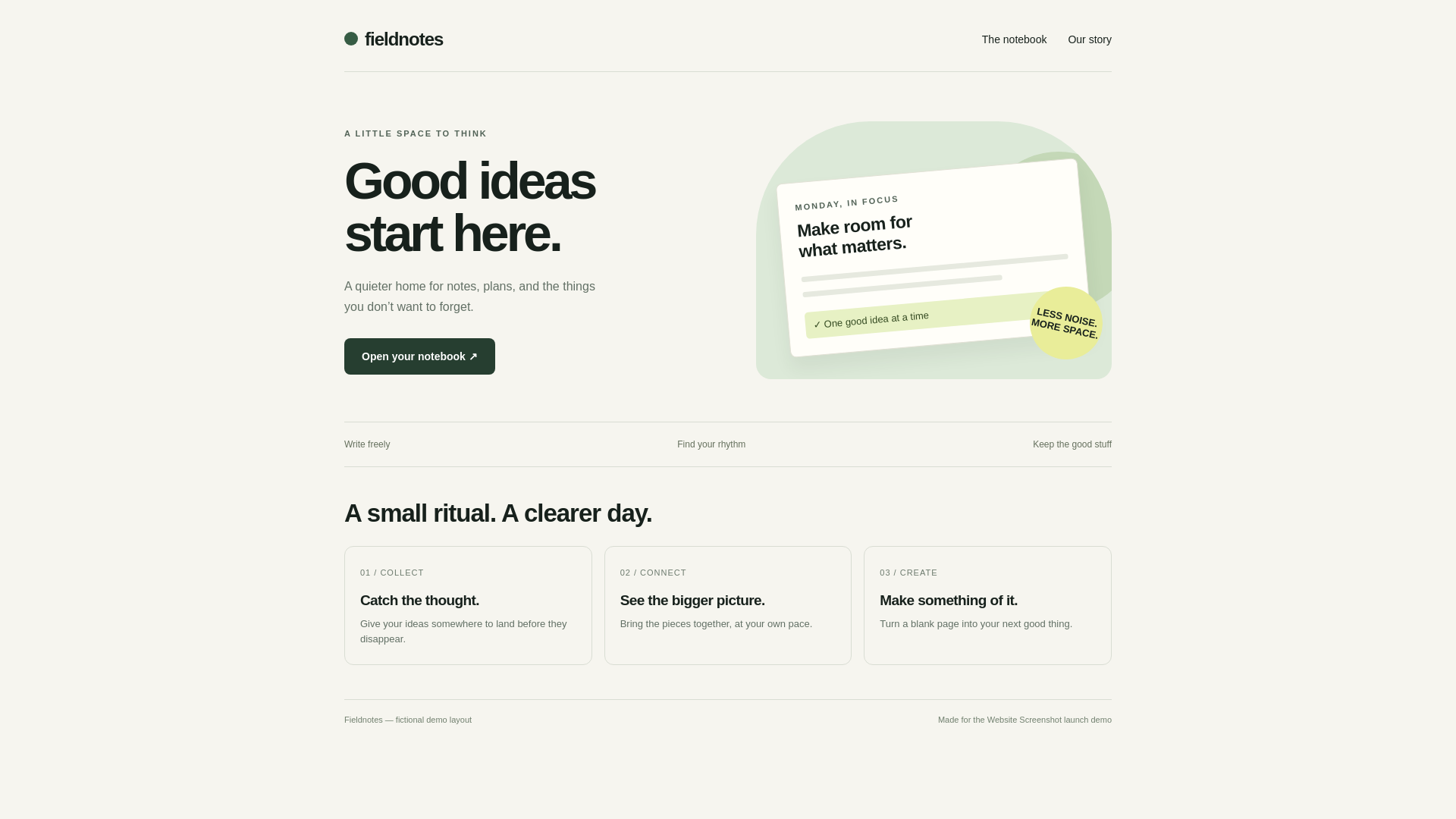
Export the complete Fieldnotes document with embedded CSS as PDF. Download the source and actual PDF below. The reference image is a PNG from the same HTML, not a preview of PDF pagination.

Input: complete HTML document

/examples/tutorials/fieldnotes.htmlDownload the example HTML

Settings to reproduce

  • Complete HTML; separate CSS field empty
  • Format: PDF; Desktop preset; original output size
  • Delay: 1000 ms; print stylesheet off

Try it yourself

  1. Download the source and paste the complete HTML.
  2. Choose PDF in Output and leave the separate CSS field empty.
  3. Convert and download; inspect page breaks in a PDF reader.
Try these settings in the tool
PNG reference from the same Fieldnotes HTML; not a PDF page preview
Actual PDF exported through this tool on 25 October 2026. The reference image is a PNG of the same HTML; PDF page breaks can differ.
Download the actual HTML-to-PDF export

Limitations to know before converting

Complete documents and extra CSS

Embedded style blocks are retained. CSS entered in the separate field is appended after the document styles, so normal CSS specificity and source order apply. A matching rule can override an earlier one.

Images, fonts, and local files

Relative file paths and files on your computer are not automatically uploaded with pasted HTML. Use publicly accessible absolute URLs or inline assets. Blocked resources and fonts that load late can change the result.

PDF layout is not a long PNG

PDF output can paginate and reflow content. Paper size, margins, print CSS, and the target website affect page breaks. Full-page capture does not promise a single extra-long PDF page.

Print CSS and browser printing

Enabling Print stylesheet asks the renderer to use the website’s print styles, which may hide navigation or change the layout. Your browser’s local Print → Save as PDF may differ because of login state, fonts, printer settings, and loaded content.

Casos de uso comuns

Casos de uso de HTML to PDF

Quando HTML to PDF é a melhor escolha

HTML to PDF é ideal para templates, relatórios, faturas e layouts que precisam ser distribuídos como documento.

Quick Workflow 1

Ótimo para templates e faturas

Design Validation

Útil para layouts imprimíveis

Documents & Records

Melhor para distribuição documental

FAQ

FAQ de HTML to PDF

O Website Screenshot é gratuito e exige conta?+

Sim. As ferramentas online de captura e conversão de HTML são gratuitas, sem cadastro ou instalação.

Quando devo usar HTML to PDF em vez de HTML to PNG?+

Quando o resultado precisa ser impresso, arquivado ou compartilhado como documento.

Posso enviar arquivos HTML e exportar em PDF?+

Sim. Tanto colagem de código quanto upload de arquivos são suportados.

Render HTML to PDF e print HTML as PDF significam a mesma coisa?+

Na maioria dos casos, sim. Ambos descrevem o render de HTML em PDF.

Isso é útil para templates e faturas?+

Sim. Esses são alguns dos casos de uso mais naturais.

Preciso instalar software?+

Não. Tudo roda no navegador.

Ferramentas relacionadas

Páginas Relacionadas