HTML ke PDF

Tukar HTML dan CSS menjadi dokumen PDF

Gunakan HTML to PDF apabila anda perlukan dokumen daripada HTML yang sesuai untuk dicetak, diarkib dan dikongsi.

  • Percuma digunakan
  • Tanpa pendaftaran
  • PNG · JPG · WebP · PDF

Gaya terbenam HTML dikekalkan. Imej dan fon setempat tidak dimuat naik secara automatik; gunakan URL awam atau sumber terbenam.

Pratetap telefon memaparkan viewport pelayar, bukan ujian peranti fizikal. Halaman panjang dan kandungan yang dimuat lewat mungkin tidak lengkap.

Halaman ini memfokuskan carian html to pdf, render html to pdf dan html template to pdf. Ia sangat berguna untuk template, laporan, invois, halaman cetak dan aliran kerja penghantaran dokumen.

See a real example and conversion limits
Tugas popular

Real input. Actual output.

An actual PDF exported from complete HTML

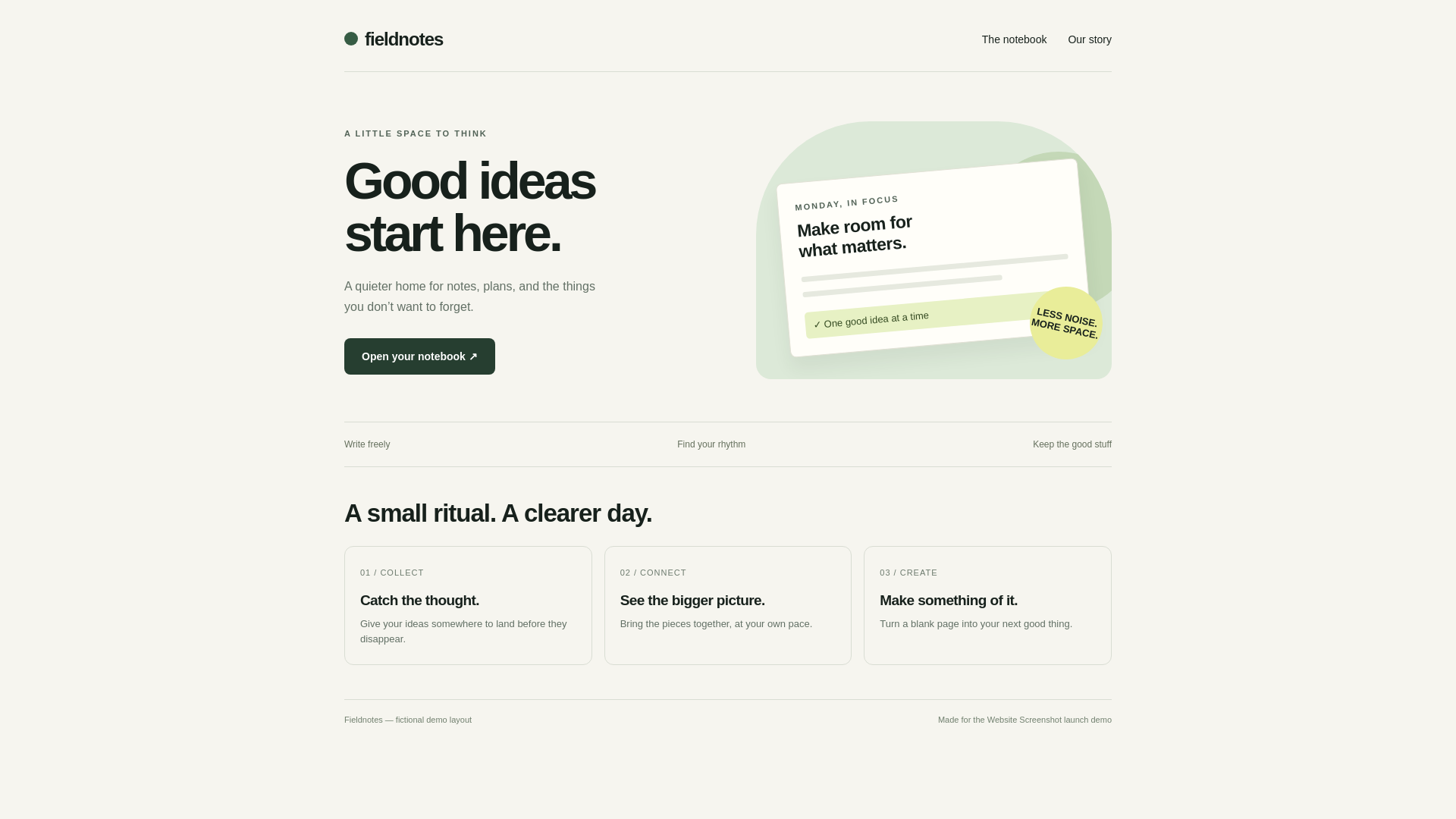
Export the complete Fieldnotes document with embedded CSS as PDF. Download the source and actual PDF below. The reference image is a PNG from the same HTML, not a preview of PDF pagination.

Input: complete HTML document

/examples/tutorials/fieldnotes.htmlDownload the example HTML

Settings to reproduce

  • Complete HTML; separate CSS field empty
  • Format: PDF; Desktop preset; original output size
  • Delay: 1000 ms; print stylesheet off

Try it yourself

  1. Download the source and paste the complete HTML.
  2. Choose PDF in Output and leave the separate CSS field empty.
  3. Convert and download; inspect page breaks in a PDF reader.
Try these settings in the tool
PNG reference from the same Fieldnotes HTML; not a PDF page preview
Actual PDF exported through this tool on 25 October 2026. The reference image is a PNG of the same HTML; PDF page breaks can differ.
Download the actual HTML-to-PDF export

Limitations to know before converting

Complete documents and extra CSS

Embedded style blocks are retained. CSS entered in the separate field is appended after the document styles, so normal CSS specificity and source order apply. A matching rule can override an earlier one.

Images, fonts, and local files

Relative file paths and files on your computer are not automatically uploaded with pasted HTML. Use publicly accessible absolute URLs or inline assets. Blocked resources and fonts that load late can change the result.

PDF layout is not a long PNG

PDF output can paginate and reflow content. Paper size, margins, print CSS, and the target website affect page breaks. Full-page capture does not promise a single extra-long PDF page.

Print CSS and browser printing

Enabling Print stylesheet asks the renderer to use the website’s print styles, which may hide navigation or change the layout. Your browser’s local Print → Save as PDF may differ because of login state, fonts, printer settings, and loaded content.

Kegunaan biasa

Bila HTML to PDF paling berguna

Bila HTML lebih sesuai terus ditukar menjadi PDF

HTML to PDF sangat berguna untuk template, invois, laporan dan printable pages apabila hasil akhir perlu dihantar sebagai dokumen.

Quick Workflow 1

Sesuai untuk template dan invois

Documents & Records

Baik untuk printable HTML

Documents & Records

Mudah untuk document delivery

FAQ

FAQ HTML to PDF

Adakah Website Screenshot percuma dan memerlukan akaun?+

Ya. Alat tangkapan skrin dan penukaran HTML dalam talian adalah percuma, tanpa pendaftaran atau pemasangan.

Bilakah HTML to PDF lebih sesuai berbanding HTML to PNG?+

Apabila hasil akhir perlu digunakan sebagai dokumen untuk pembacaan, cetakan, arkib atau penghantaran formal.

Bolehkah saya muat naik fail HTML dan eksport ke PDF?+

Ya. Tampalan kod dan muat naik fail kedua-duanya disokong.

Adakah render HTML to PDF dan print HTML as PDF membawa maksud yang sama?+

Dalam kebanyakan keadaan, ya. Ia variasi bagi niat yang sama untuk menghasilkan PDF daripada HTML.

Adakah alat ini sesuai untuk template dan invois?+

Ya. Itu antara kegunaan yang paling semula jadi.

Perlukah saya memasang apa-apa?+

Tidak. Semuanya berjalan dalam pelayar.

Alat berkaitan

Halaman Berkaitan