HTML a PDF

Renderice HTML y CSS como Documentos PDF

Use esta página cuando la salida HTML necesite convertirse en un documento imprimible o listo para archivo. Soporta HTML/CSS con paginación y opciones de papel.

  • Uso gratuito
  • Sin registro
  • PNG · JPG · WebP · PDF

Se conservan los estilos integrados en HTML. Las imágenes y fuentes locales no se suben automáticamente; usa URL públicas o recursos integrados.

Los ajustes móviles simulan una ventana del navegador, no un dispositivo físico. Las páginas largas y la carga diferida pueden quedar incompletas.

Esta página se enfoca en la intención de HTML a PDF, que es significativamente diferente de generar capturas de imagen. Aquí el resultado es un documento PDF con paginación.

See a real example and conversion limits

Tareas populares

Real input. Actual output.

An actual PDF exported from complete HTML

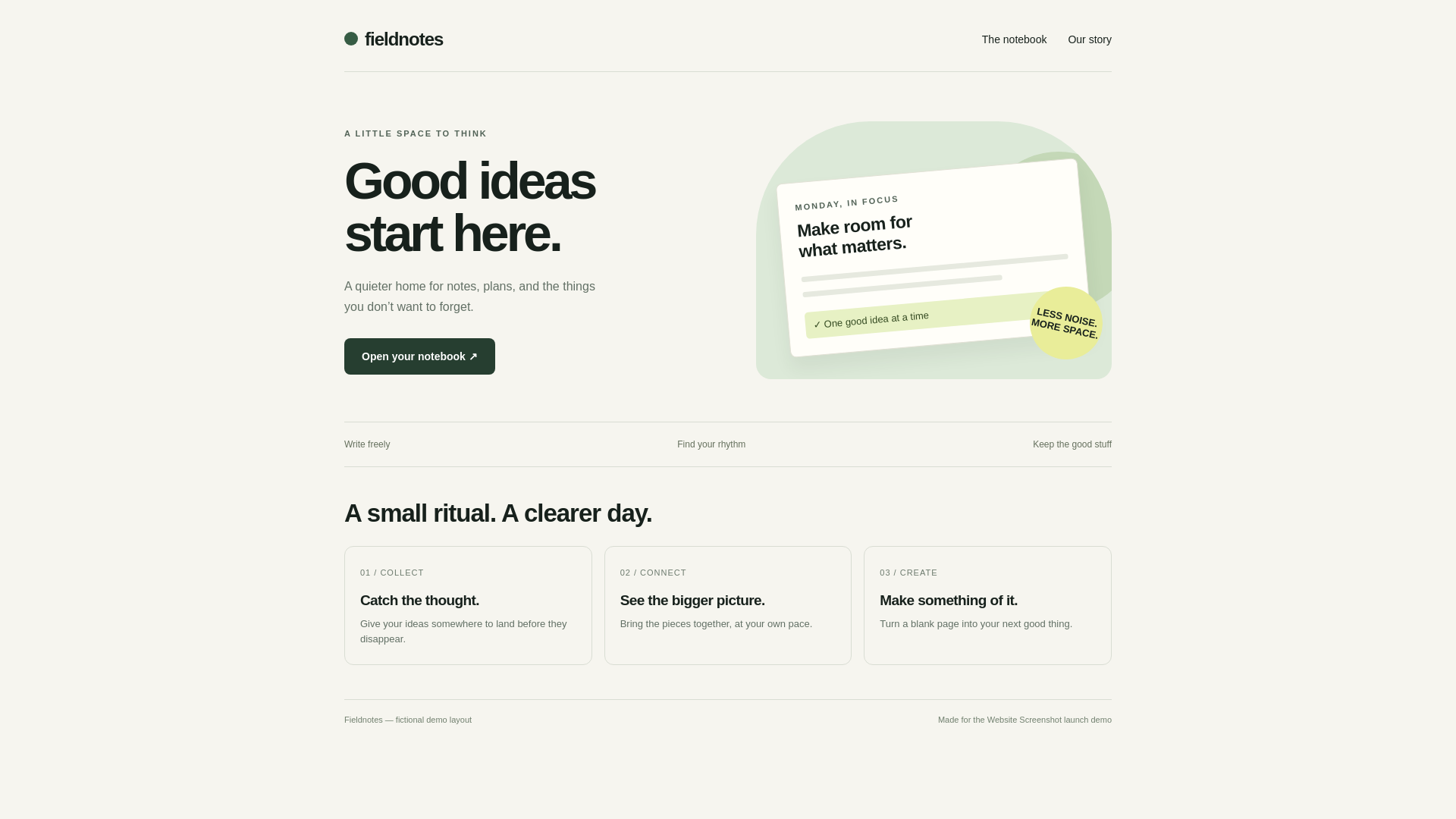
Export the complete Fieldnotes document with embedded CSS as PDF. Download the source and actual PDF below. The reference image is a PNG from the same HTML, not a preview of PDF pagination.

Input: complete HTML document

/examples/tutorials/fieldnotes.htmlDownload the example HTML

Settings to reproduce

  • Complete HTML; separate CSS field empty
  • Format: PDF; Desktop preset; original output size
  • Delay: 1000 ms; print stylesheet off

Try it yourself

  1. Download the source and paste the complete HTML.
  2. Choose PDF in Output and leave the separate CSS field empty.
  3. Convert and download; inspect page breaks in a PDF reader.
Try these settings in the tool
PNG reference from the same Fieldnotes HTML; not a PDF page preview
Actual PDF exported through this tool on 25 October 2026. The reference image is a PNG of the same HTML; PDF page breaks can differ.
Download the actual HTML-to-PDF export

Limitations to know before converting

Complete documents and extra CSS

Embedded style blocks are retained. CSS entered in the separate field is appended after the document styles, so normal CSS specificity and source order apply. A matching rule can override an earlier one.

Images, fonts, and local files

Relative file paths and files on your computer are not automatically uploaded with pasted HTML. Use publicly accessible absolute URLs or inline assets. Blocked resources and fonts that load late can change the result.

PDF layout is not a long PNG

PDF output can paginate and reflow content. Paper size, margins, print CSS, and the target website affect page breaks. Full-page capture does not promise a single extra-long PDF page.

Print CSS and browser printing

Enabling Print stylesheet asks the renderer to use the website’s print styles, which may hide navigation or change the layout. Your browser’s local Print → Save as PDF may differ because of login state, fonts, printer settings, and loaded content.
Casos de uso comunes

Casos de Uso de HTML a PDF

Cuándo HTML a PDF Tiene Más Sentido

HTML a PDF es ideal cuando el código HTML debe convertirse en un documento imprimible o archivable.

  • • Conversión directa de código
  • • Soporte de plantillas y archivos
  • • Salida con paginación

Plantillas HTML a PDF

Las plantillas HTML como facturas, reportes y documentos se convierten fácilmente a PDF.

  • • Soporte de plantillas
  • • Diseño preservado
  • • Texto seleccionable

Salida PDF para Documentos

La conversión HTML a PDF produce documentos con estructura de texto seleccionable y paginación.

  • • Documento con texto seleccionable
  • • Estructura preservada
  • • Formato profesional

Opciones de HTML a PDF

La herramienta ofrece opciones de tamaño de papel, orientación y calidad para la salida.

  • • Tamaños de papel personalizables
  • • Orientación vertical/horizontal
  • • Ajuste de calidad y márgenes

Preguntas frecuentes

Preguntas Frecuentes sobre HTML a PDF

¿Website Screenshot es gratuito y necesito una cuenta?+

Sí. Las herramientas online de captura y conversión de HTML son gratuitas, sin registro ni instalación.

¿Cómo convierto HTML a PDF?+

Pegue el código HTML, seleccione PDF como formato y genere la conversión.

¿Puedo subir archivos HTML?+

Sí. Puede subir archivos HTML, CSS o MHTML para conversión a PDF.

¿Necesito instalar algo?+

No. La conversión se realiza completamente en el navegador.

¿El PDF preserva el diseño?+

Sí. El renderizado PDF preserva diseño, texto y estructura del HTML.

¿Puedo usar selectores?+

Sí. Los selectores de ocultamiento funcionan en HTML a PDF.

Herramientas relacionadas

Páginas Relacionadas